
grooveDNA
Precision Groove Engineering
DAW sequencers apply swing in one direction — a single template, uniformly offset. Hardware sequencers each have their own microtiming character, and no two machines feel the same. grooveDNA was built to combine them.
Fuse timing from multiple hardware-inspired templates. Edit individual steps at high precision. Apply groove templates per-step or per-range. Group steps and subdivide for microrhythmic control. Export MIDI with maximum-resolution timing.
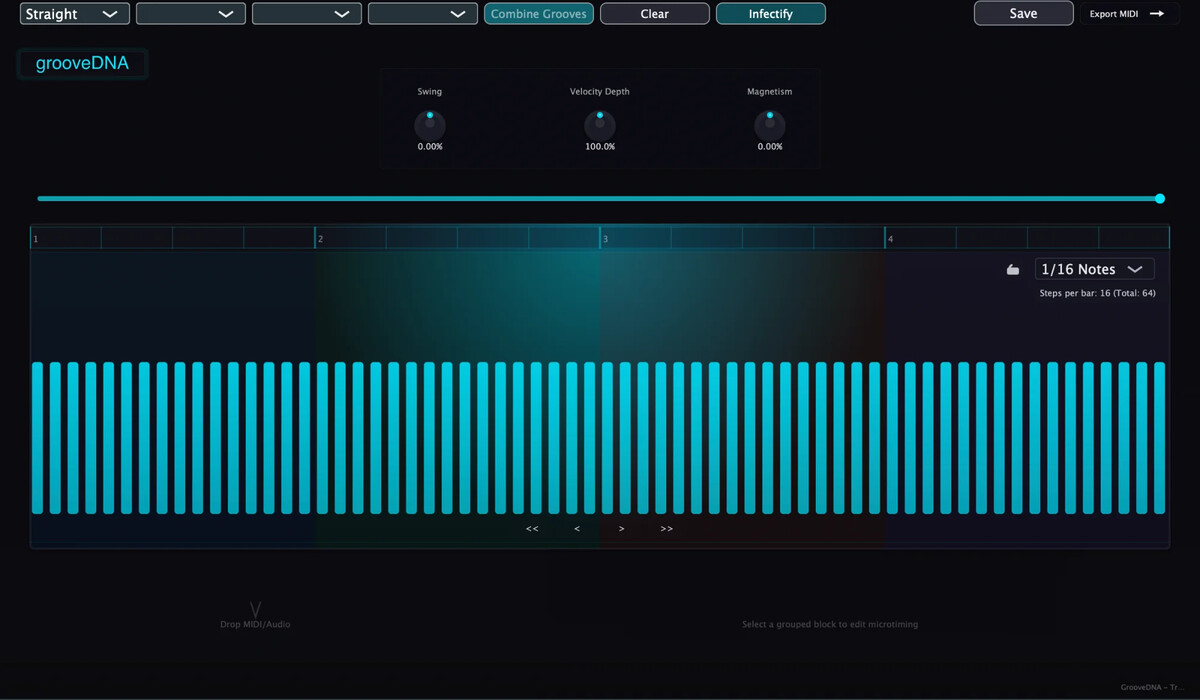
The Problem
Standard DAW groove tools apply a single timing offset uniformly across a pattern. Every swung 16th note moves the same amount in the same direction. The result is technically correct swing but rhythmically one-dimensional — it lacks the internal push-and-pull that makes hardware sequencers feel alive.
The character of a hardware groove comes from its specific microtiming — the way a TR-909 and an MPC each handle the same 16th note differently, creating tension between downbeats and upbeats that varies step-to-step. Combining two machines with different swing values produces patterns that expand and contract within a single bar.
grooveDNA makes this possible inside a DAW. Select two hardware-inspired templates, choose a fusion method, and the resulting groove inherits timing from both sources simultaneously. The pattern can then be edited step-by-step, exported as MIDI, and applied to any instrument in the session.
Interface
Click the markers to explore key controls
Groove A
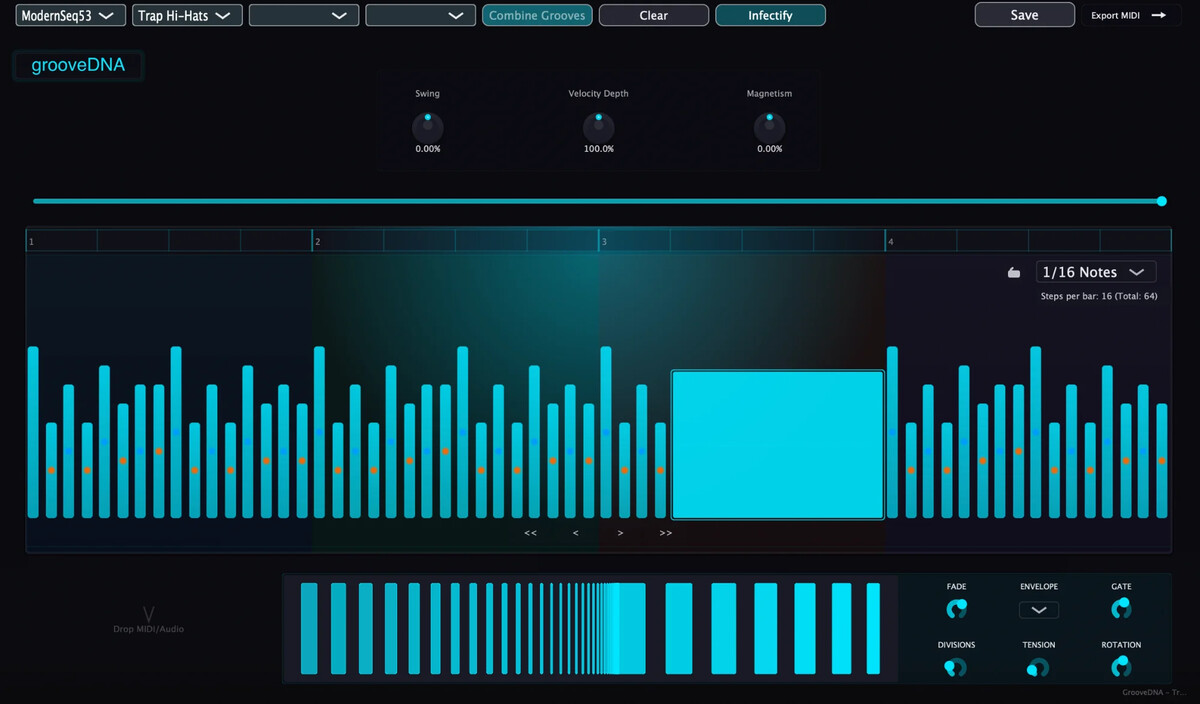
Select the primary groove from 70+ hardware-inspired templates. Each captures precise timing characteristics from classic and modern hardware.
Groove B
Select a secondary groove to combine with Groove A. Fusing two different hardware timings creates push-pull dynamics within the pattern.
Combination Method
Choose how grooves are fused: alternate between A/B per step, blend timing values, or apply different grooves to different sections.
Infectify
Apply research-backed groove enhancement. Combines hardware-inspired microtiming with gaussian timing distributions for natural, human-feeling grooves.
Groove Parameters
Fine-tune Swing amount, Velocity Depth for dynamics, and Magnetism to pull notes toward downbeats or upbeats.
Active Steps
Set number of groove steps from 1-64, enabling polyrhythms.
Timing Indicators
Step colors show timing offset: bars shift color based on whether notes are early or late relative to the grid. Orange dots indicate the step is delayed relative to the grid.
Groove Editor
The main editing area. Drag steps to adjust timing with high precision. Select multiple adjacent steps to group them for subdivision editing.
Import & Extract
Drag MIDI or audio files to extract groove timing. Create custom templates from any source with high-precision timing analysis.
Subdivision Editor
Edit grouped blocks at the subdivision level. Each step can be divided into smaller timing units for glitchy, granular microrhythms.
Subdivision Shaping
Shape subdivisions with Divisions, Tension, and Rotation. Apply Fade, Envelope curves, and Gate effects for detailed rhythmic control.
Technical Overview
Hardware Timing Library
Over 70 groove templates inspired by classic and modern hardware, capturing precise timing characteristics and microtiming variations.
Groove Fusion Engine
Algorithmic methods for combining grooves from different hardware-inspired templates, including mix, alternate, and section-based fusion modes.
Magnetism Quantization
Alternative quantization scheme that sets downbeats or upbeats as attractors for surrounding notes.
Scientific Groove Enhancement
Infectify implements peer-reviewed research on groove perception, applying gaussian distributions to timing offsets combined with hardware-inspired microtiming characteristics.
High-Precision Timing
All timing adjustments operate with high internal precision. Manual editing and template operations maintain precise timing. MIDI export uses maximum PPQ resolution for DAW compatibility.
Audio/MIDI Analysis
Drag-and-drop extraction of timing data from external audio or MIDI files, analyzed at high precision for use as custom templates.
Demonstration
Multi-hardware groove fusion and grouped subdivision control in pattern context.
Capabilities
Multi-Hardware Groove Fusion
Combine timing from different hardware-inspired templates to create hybrid grooves. Alternating between distinct swing values produces patterns that expand and contract within each bar.
Step-Level Template Application
Apply groove templates to any selection of steps, enabling granular control over timing and dynamics across the pattern.
Grouped Subdivision Control
Group consecutive steps and subdivide them into smaller divisions for complex polyrhythmic structures and microtiming adjustments.
Infectify Algorithm
Research-backed groove enhancement combining hardware-inspired downbeat/upbeat offsets with normally-distributed timing variations applied to swing positions.
Alternative Timing Paradigms
Support for triplet, quintuplet, septuplet, and nonuplet subdivisions with corresponding UI reconfiguration.
Variable Pattern Length
Adjustable active steps from 1 to 64, enabling odd time signatures and polymetric phrase structures.
System Requirements
Formats
VST3, AU
64-bit only
macOS
10.13 or later
Apple Silicon native
Windows
Windows 10 or later
x64 architecture
Download
Try free for 60 days. No registration required.
macOS 10.13+ | Windows 10+ | VST3, AU
License
Permanent license for all your machines.